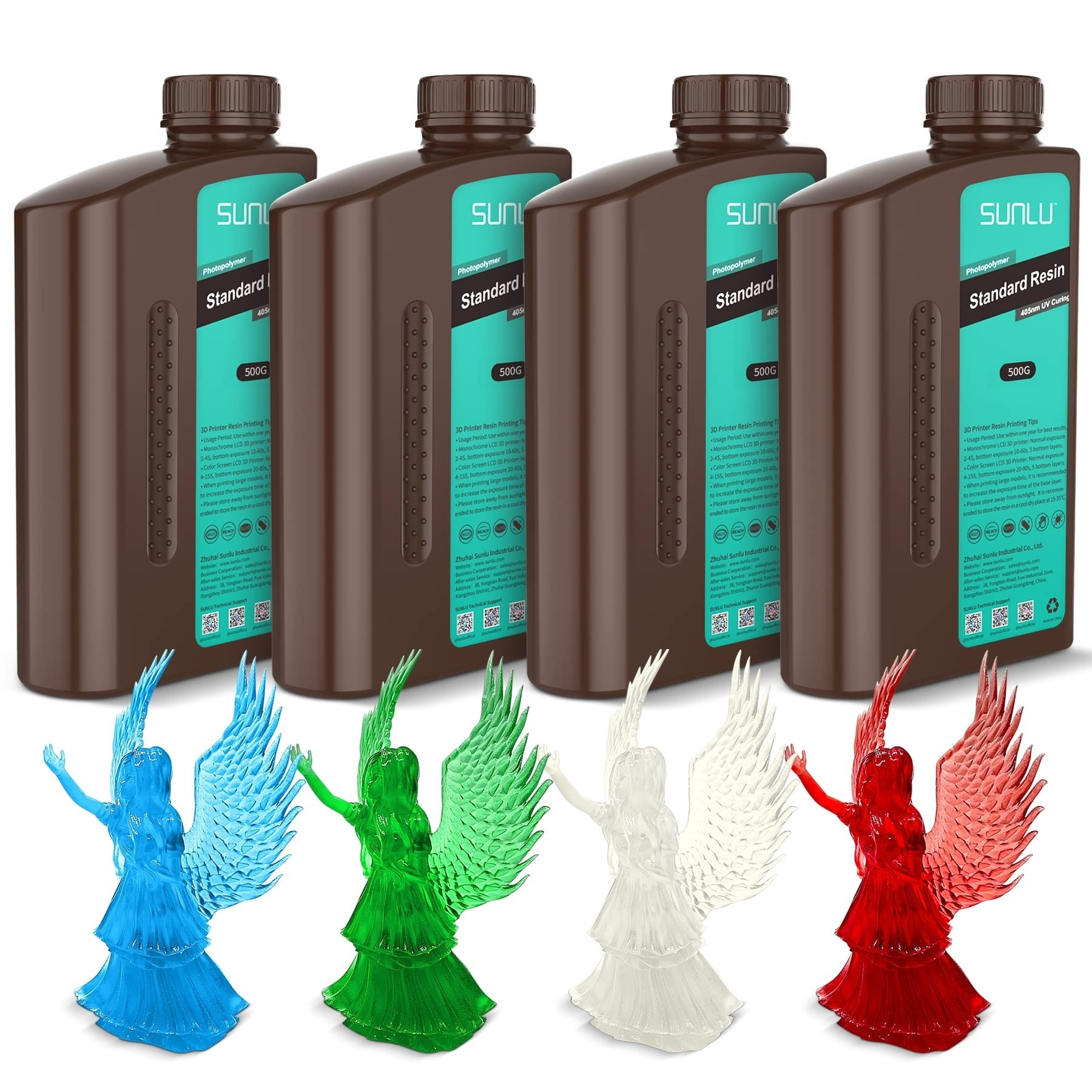
Choosing between colored and clear resin depends on the appearance, purpose, and finishing requirements of your model. Colored 3d printing resin works well for decorative objects, figurines, and visual prototypes that benefit from an opaque or consistent hue.
Clear resin suits designs where light transmission and visibility through the printed object matter. The right option also depends on whether you need a tinted effect, a transparent appearance, or lasting clarity.
How Do Colored Resin and Clear Resin Differ?
The main difference is how each resin presents color and light. Opaque colored resin produces a solid appearance, making surface details and contrasting colors easier to appreciate without seeing through the model.
Clear resin allows light to pass through the material, although the final result may appear hazy or show a slight tint depending on the resin formulation, print geometry, and finishing process.
Transparent-tinted resin sits between these options. It introduces color while retaining some light transmission, creating effects that solid pigments cannot easily reproduce. When selecting resin, consider the intended visual effect alongside dimensional detail, durability requirements, and the amount of post-processing your project may need.
When Should You Choose Colored Resin?
Colored resin is a practical option for figurines, miniature displays, decorative accessories, product mock-ups, and visual prototypes. A solid color can make contours easier to inspect and create a consistent appearance across several models.
It can also simplify presentation when a project requires a particular color without additional painting.
The Standard Resin range from SUNLU includes Grey, Dark Grey, Black, Beige, Orange, Green, and White. These options support a variety of visual styles, from neutral prototypes to brighter decorative models. Choosing a color close to the intended final appearance can also reduce the amount of surface finishing needed after printing.
Colored resin serves functional prototyping too: concept presentation, shape comparison, or assembly visualization. Color alone doesn’t confirm part compliance.
When Is Clear 3D Printing Resin a Better Fit?
Clear 3d printing resin is useful for visual models where transparency contributes to the design. Examples include decorative lenses, transparent-style ornaments, display pieces, and prototypes intended to show internal shapes. Transparent-tinted options, such as red, green, and blue, add color while retaining some visibility through the material.
The result depends on more than the resin’s label. Layer lines, surface texture, wall thickness, internal geometry, washing, curing, and polishing can influence light transmission.
A thick model may look less transparent than a thin sample printed from the same resin. If clarity is central to the project, print a small test piece with a similar thickness and shape before producing the final model.
Clear resin also has practical limitations. A transparent appearance does not establish suitability for optical equipment, food contact, or other specialized uses. Verify the resin’s documented properties and intended applications before using it in a component with specific performance requirements.
Is Standard Clear Resin the Same as High Clear Resin?
Not necessarily. Standard Resin includes a clear option and several transparent-tinted colors, making it suitable for general-purpose prints where a translucent appearance is desired. High Clear Resin is a separate product formulated for highly transparent prints and long-lasting clarity.
Its listed product features include resistance to yellowing, high transparency, low shrinkage, good fluidity, and low odor. The product description also states 99% LCD compatibility.
These characteristics may be relevant when choosing resin for display models and clarity-focused projects, but they do not mean that every print will achieve the same level of transparency.
Before choosing, compare the technical instructions for the specific resin rather than assuming that all transparent products share the same properties or post-processing requirements.
How Do Printing and Post-Processing Affect Appearance?
Even suitable resin can produce disappointing results when preparation and finishing are inconsistent. Shake the bottle well before use, as directed in the manufacturer’s resin guidance. Use exposure settings appropriate for the resin and printer, and test a small model when changing materials.
After printing, wash the model using the recommended cleaning method to remove uncured resin from its surface. Allow it to dry before UV post-curing, following the product instructions.
Residue, uneven curing, and surface marks can affect the appearance of clear prints, so handle washing and curing with care. Any additional finishing should be compatible with the chosen resin and the intended result.
Wear nitrile gloves and protective eyewear when handling uncured resin, and work in a well-ventilated area. Follow the product’s safety instructions for cleaning, curing, and disposal.
How Can You Choose the Right Resin for Your Project?
Use the intended appearance as your first filter, then consider finishing effort, technical requirements, and repeatability.
| Project requirement | Resin option to consider |
| Solid, consistent color | Opaque colored resin |
| Colored transparency | Transparent-tinted resin |
| General translucent models | Standard Clear Resin |
| High transparency and lasting clarity | High Clear Resin |
| Visual prototypes requiring a specific hue | Colored Standard Resin |
SUNLU offers Standard Resin in solid colors and transparent variants, alongside High Clear Resin for projects where transparency and lasting clarity are priorities.
Compare the properties and instructions of the exact formulation, print a representative sample, and assess the finished appearance under the lighting in which the model will be displayed. This approach connects material selection with the final result rather than relying on the resin’s color name alone.
